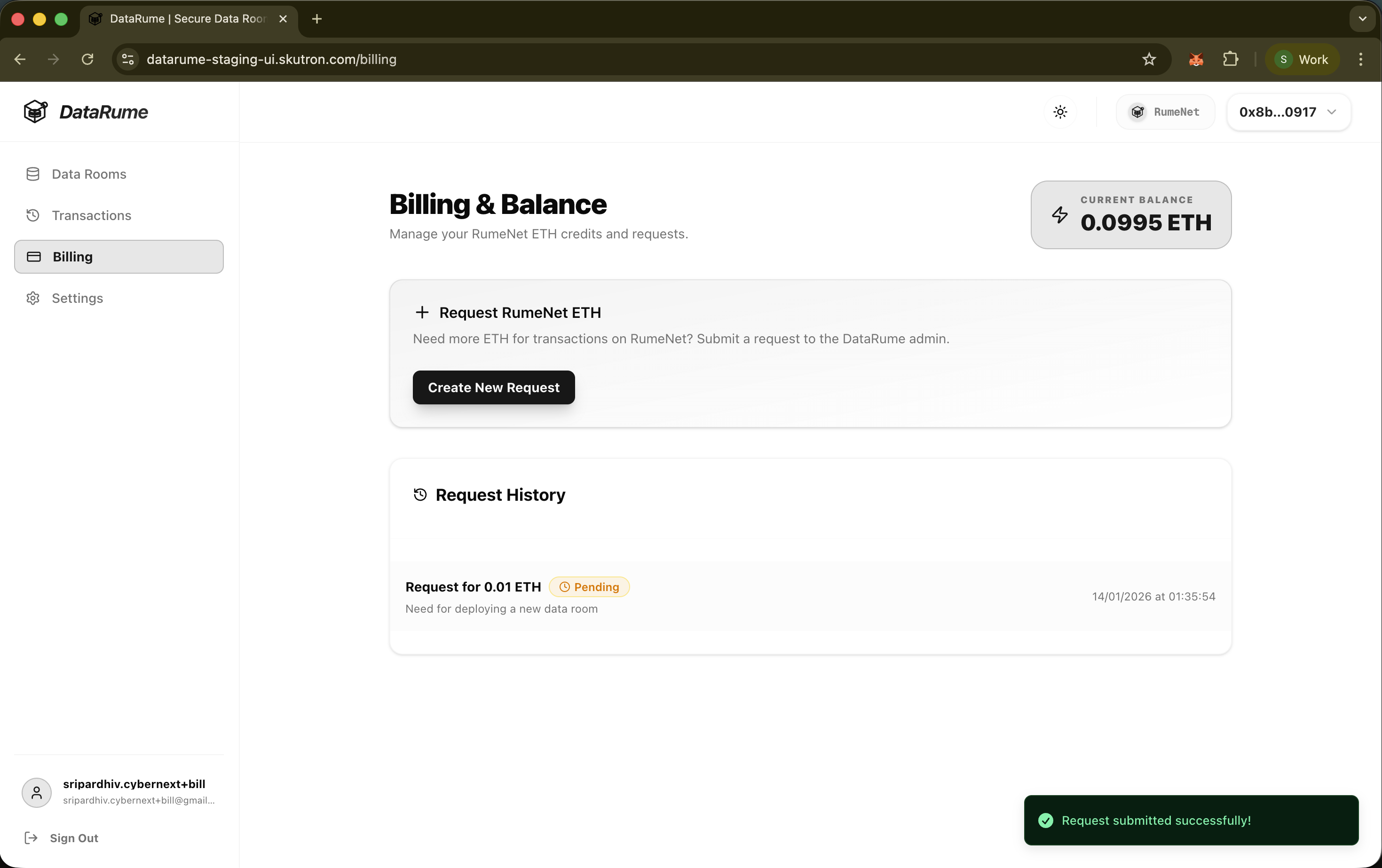
Billing & Balance
The Billing section allows users to manage their RumeNet ETH credits, which are required for performing transactions on the RumeNet blockchain (e.g., deploying data rooms, minting and transferring tokens).
To access this page, navigate to the Billing tab in the sidebar of DataRume application.
Current Balance
At the top right of the page, user can view their Current Balance in ETH on RumeNet.
- This balance determines user's ability to pay for gas fees and other platform operations.
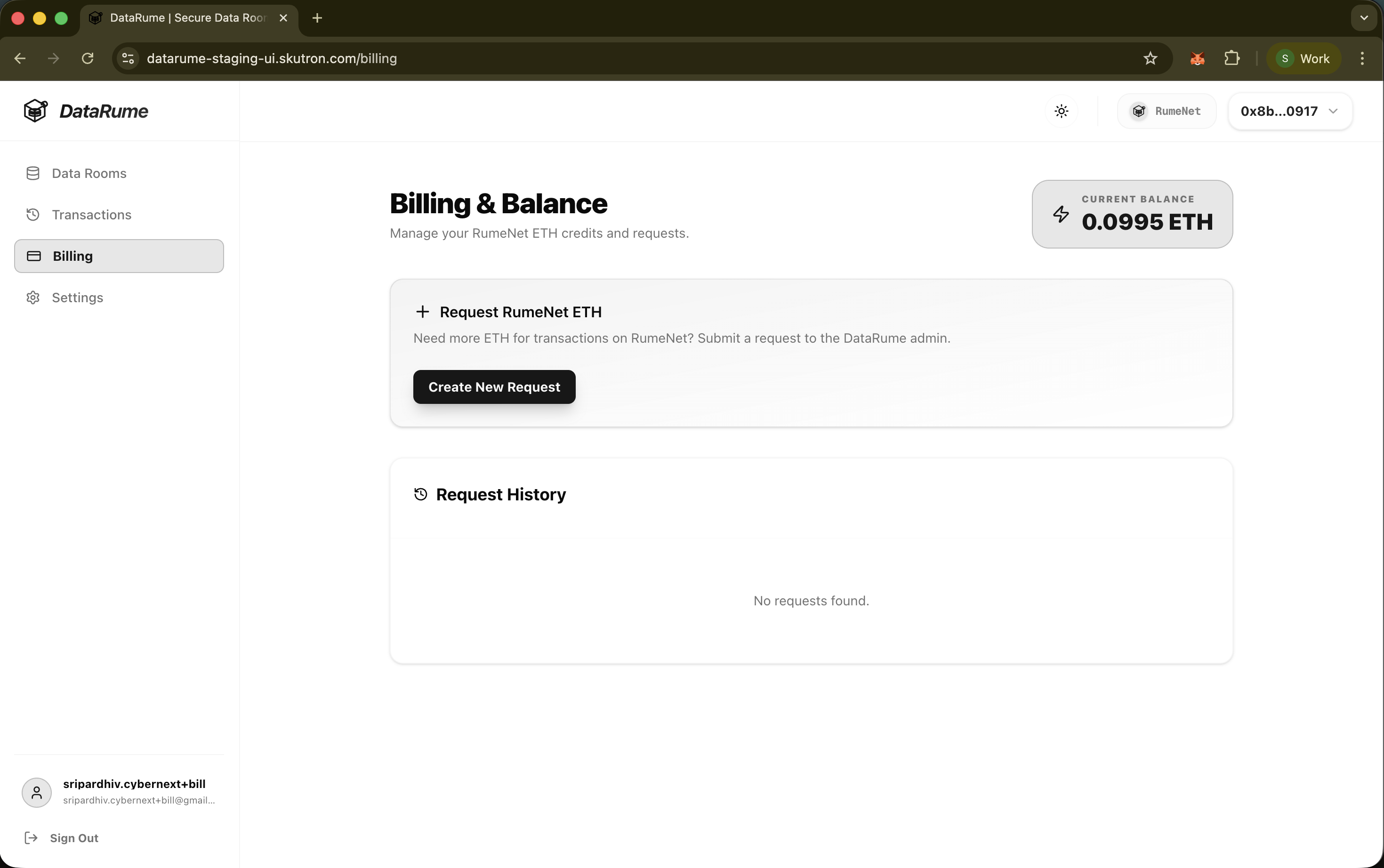
Requesting RumeNet ETH
If user's balance is insufficient, user can request additional testnet ETH from the DataRume Admin directly through the interface via the Faucet.
Steps to Request ETH:
- Click Create New Request: In the "Request RumeNet ETH" card, click the Create New Request button.
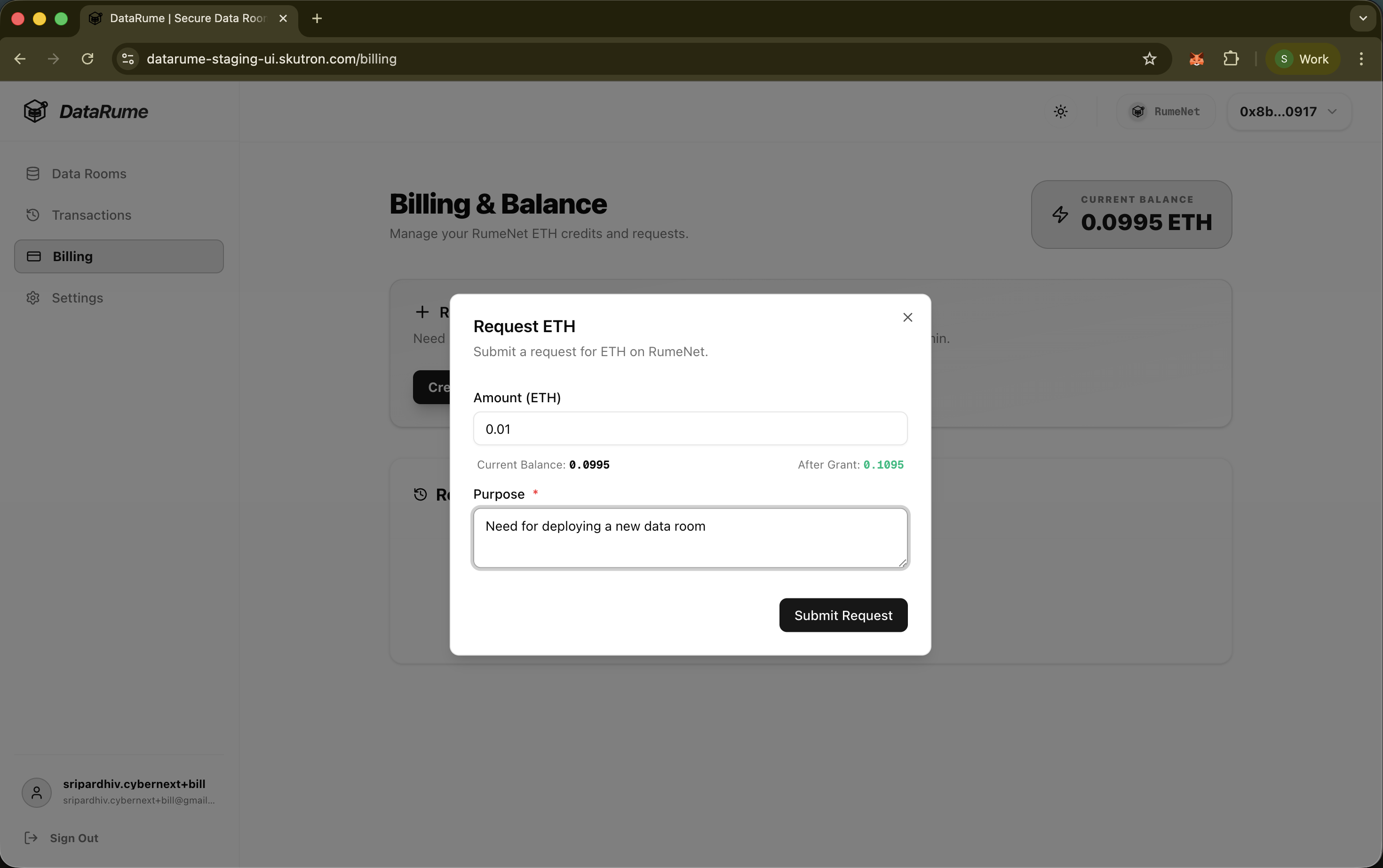
- Fill Request Details:
- Amount (ETH): Enter the amount of ETH you need (e.g., 0.01).
- Purpose: Briefly explain why you need the credits (e.g., "Need for deploying a new data room...").
- Submit: Click Submit Request.
The DataRume admin will review the request and, upon approval, the ETH will be credited to the user's wallet address on RumeNet.
Request History
The Request History section displays a log of user's previous requests, including their status (e.g., Pending, Approved, Rejected) and details.