Share Data Room Access
The access to Data Rooms is managed via Data Tokens (ERC-20 standard). Possession of these tokens grants access to the securely stored files in the Data Room.
There are two primary ways to share access:
1. Minting Access Tokens (Owner Only)
The Data Room Owner can directly mint and assign access tokens to a user's wallet address.
Steps to Mint:
- Navigate to Details: Click on the active Data Room from the dashboard to open its details page.
- Locate Access Tokens Section: Scroll to the "Access Tokens" card, which displays current holders and token supply.
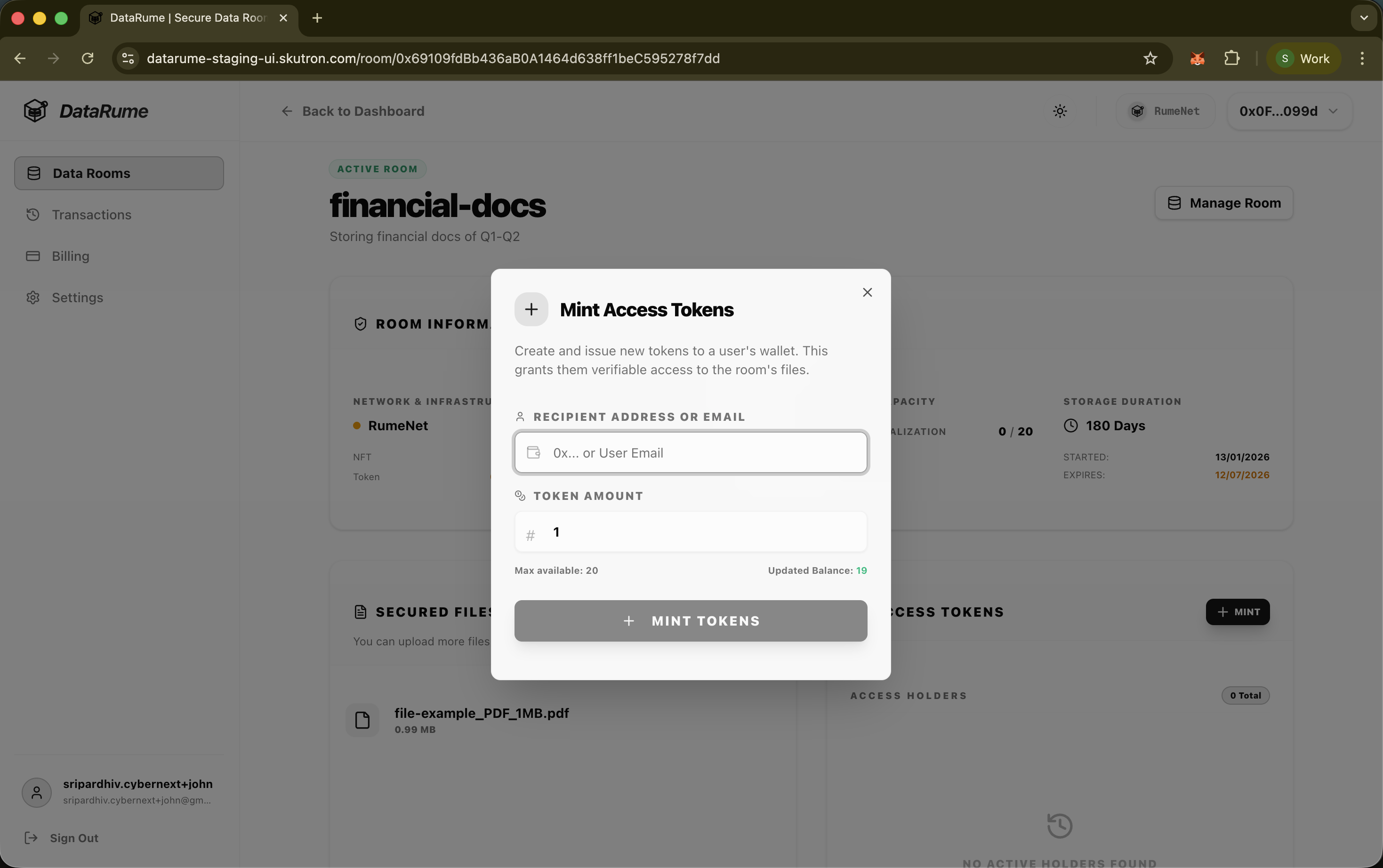
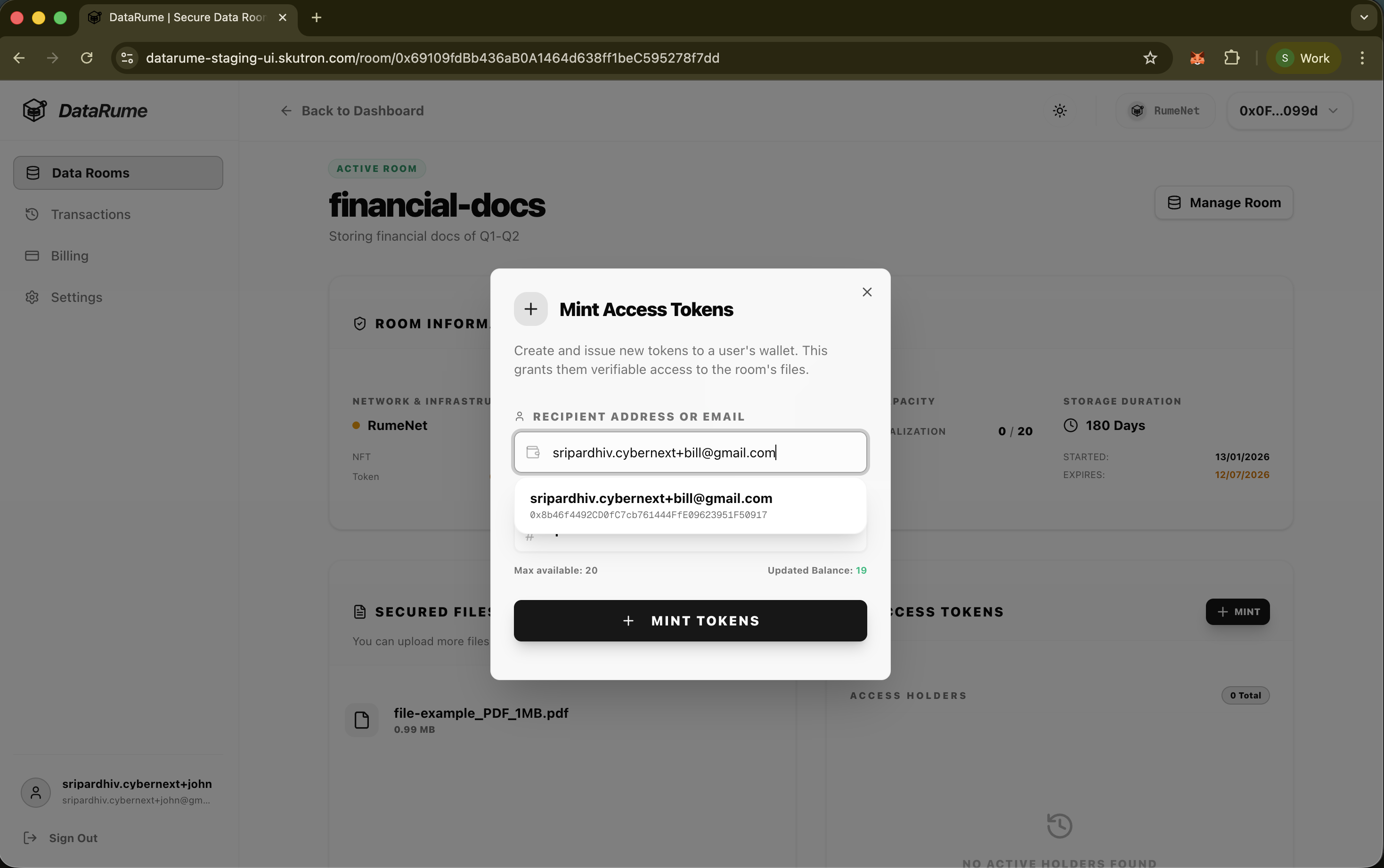
- Initiate Mint: Click the + MINT button.
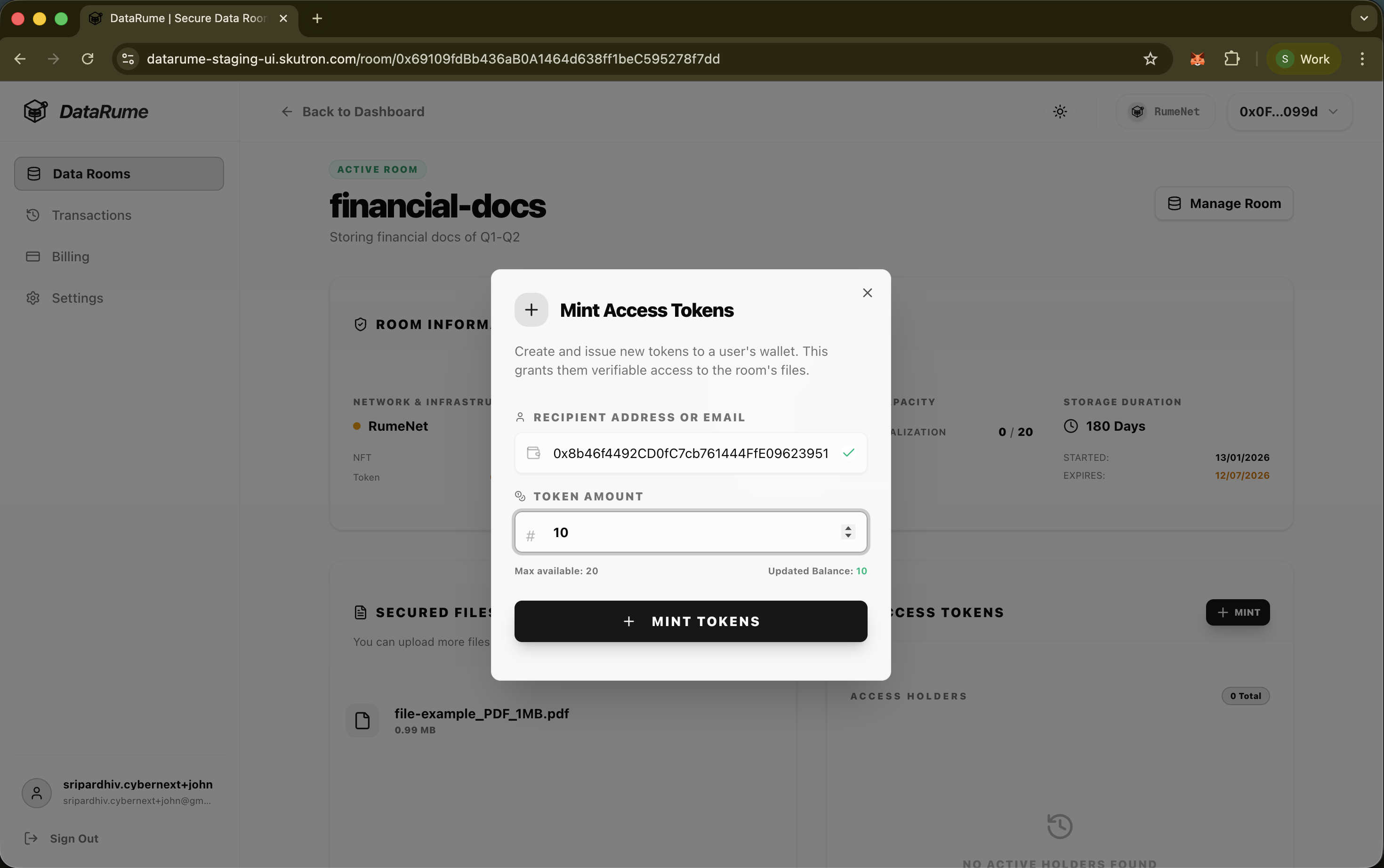
- Enter Recipient Details:
- Email: Enter the user's full email address. The system will automatically resolve the associated wallet address.
- Amount: Specify the number of tokens to mint (typically 1 for standard access).
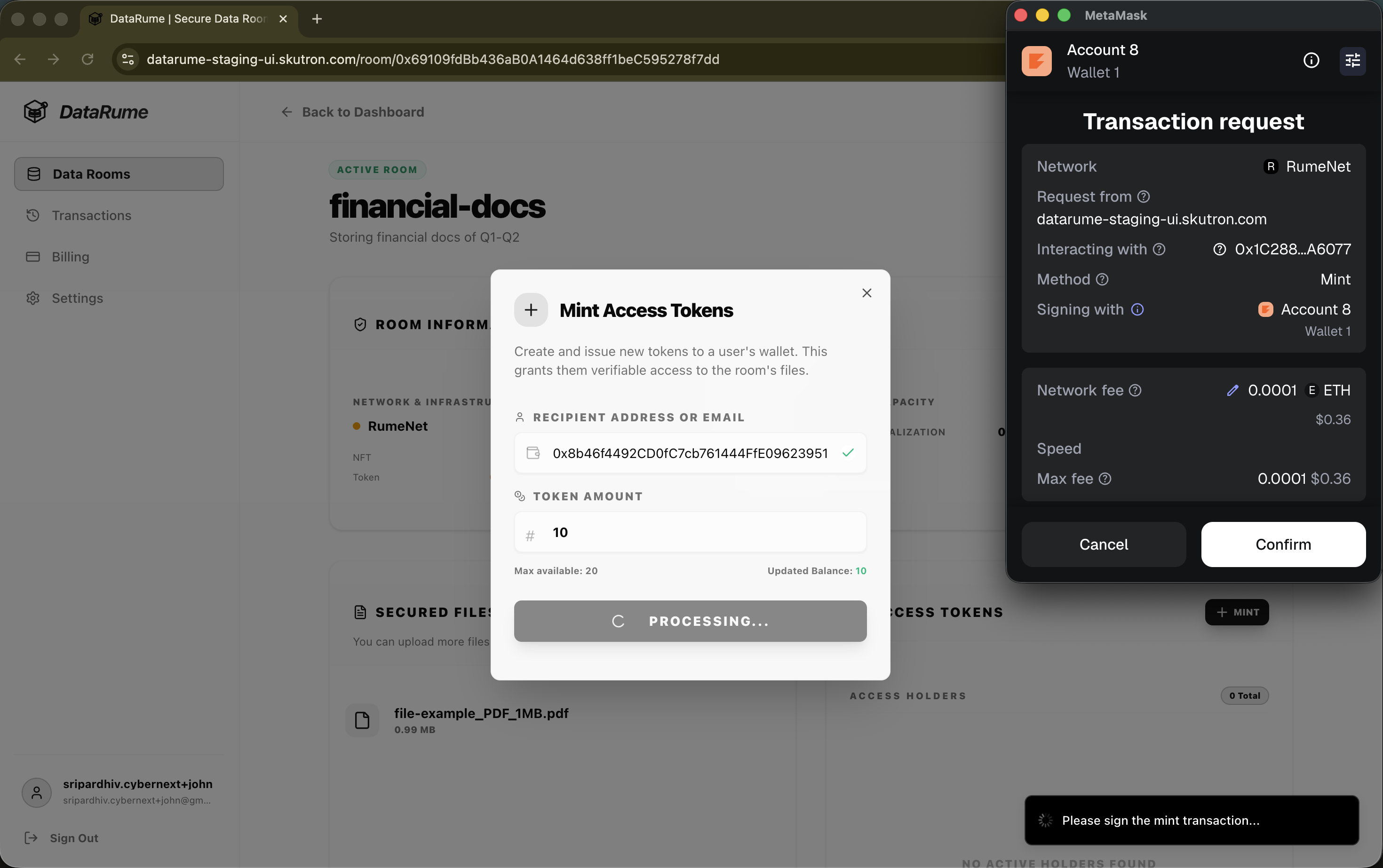
- Confirm Transaction: Click the + MINT TOKENS button. The connected wallet will prompt to sign the minting transaction.
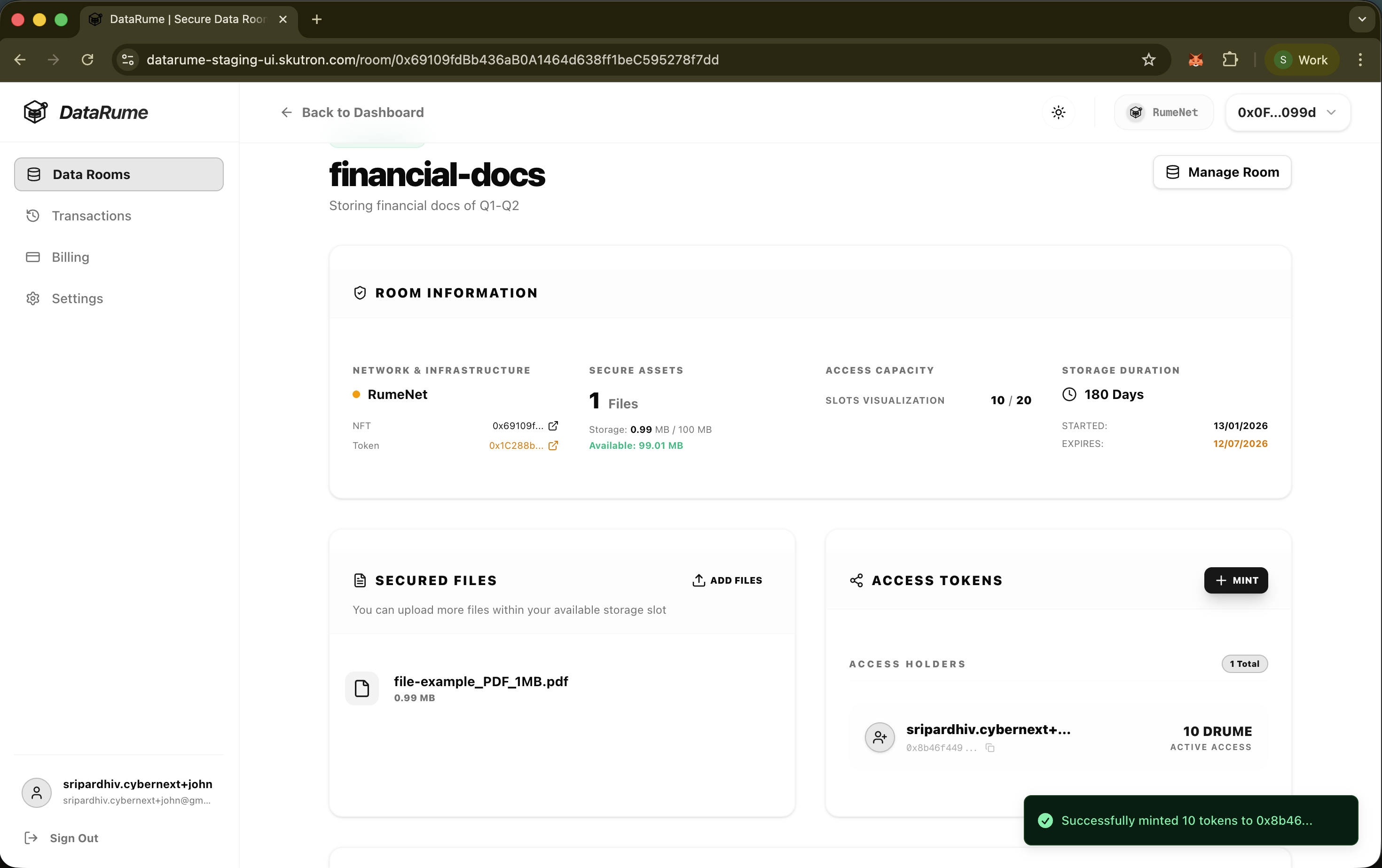
Once confirmed on the blockchain, the recipient receives the tokens and will see the Data Room in their dashboard with an Active status. Their balance will reflect as a ACTIVE ACCESS (e.g., 1 DRUME) in the Access Tokens card.
2. Transferring Access Tokens (Peer-to-Peer)
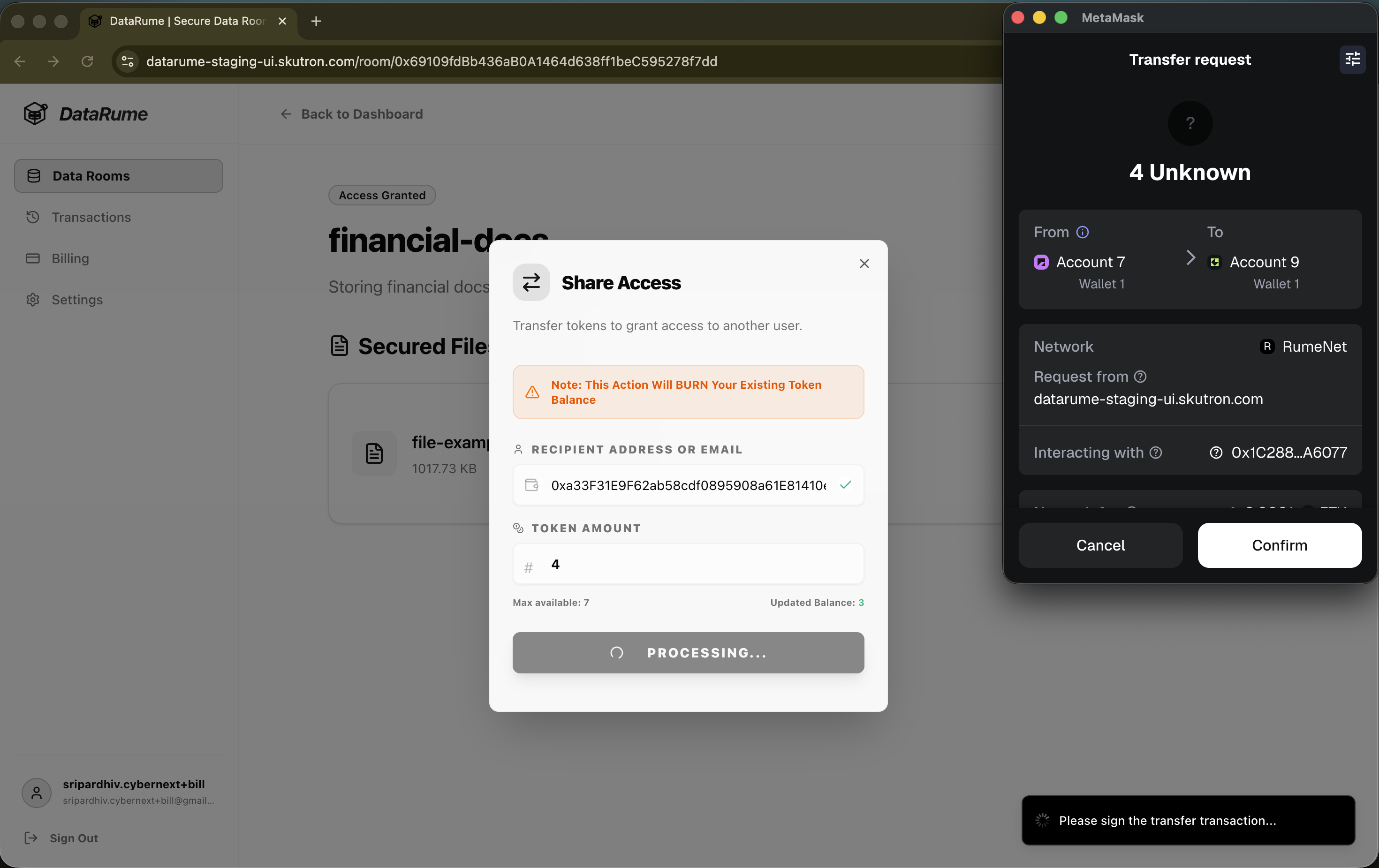
Any user who holds a balance of Data Tokens can share access by transferring their tokens to another user. This enables decentralized access distribution.
Steps to Transfer:
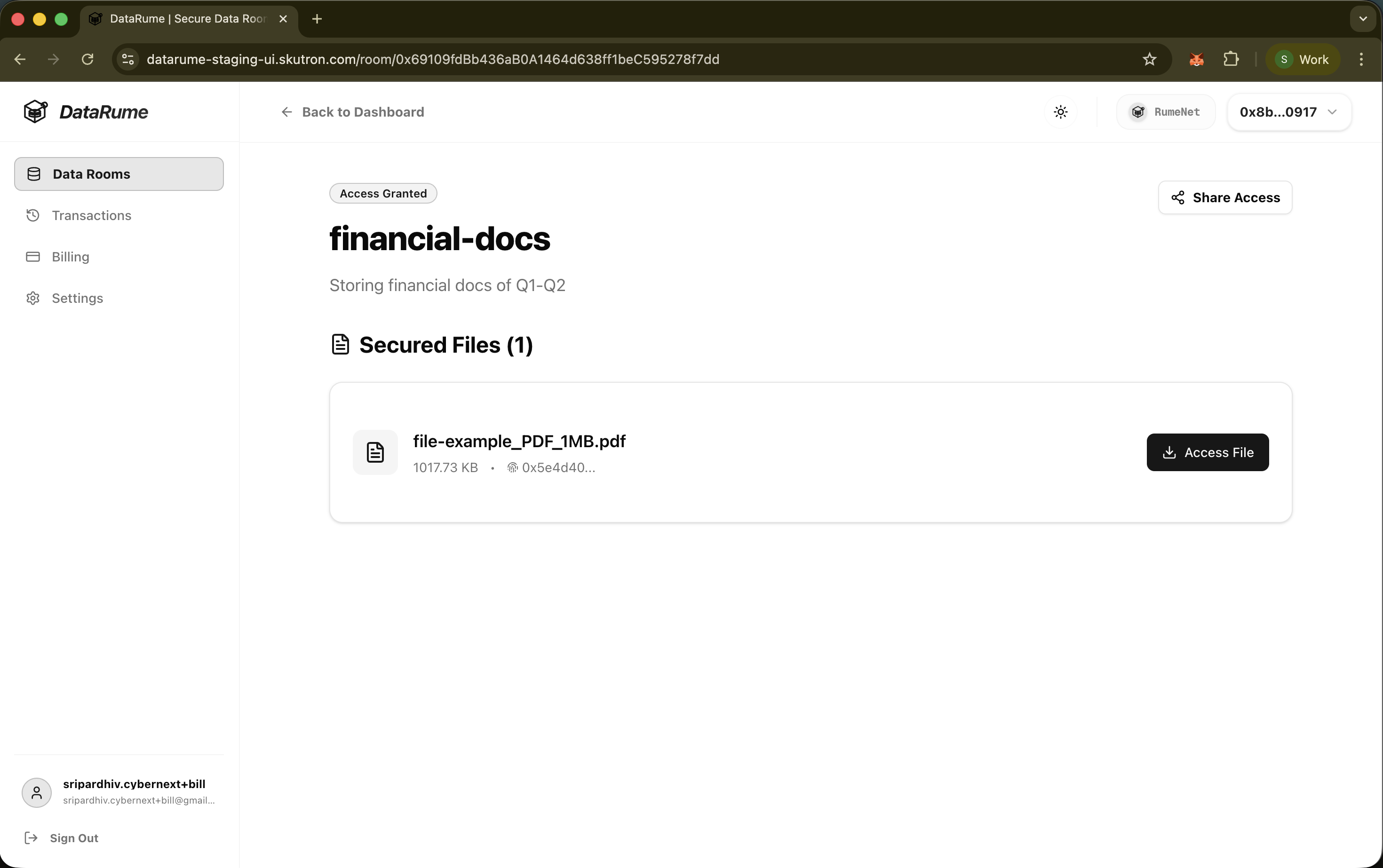
- After Excuting Order: After successfully executing the order, user will be redirected to the Secure Files page.
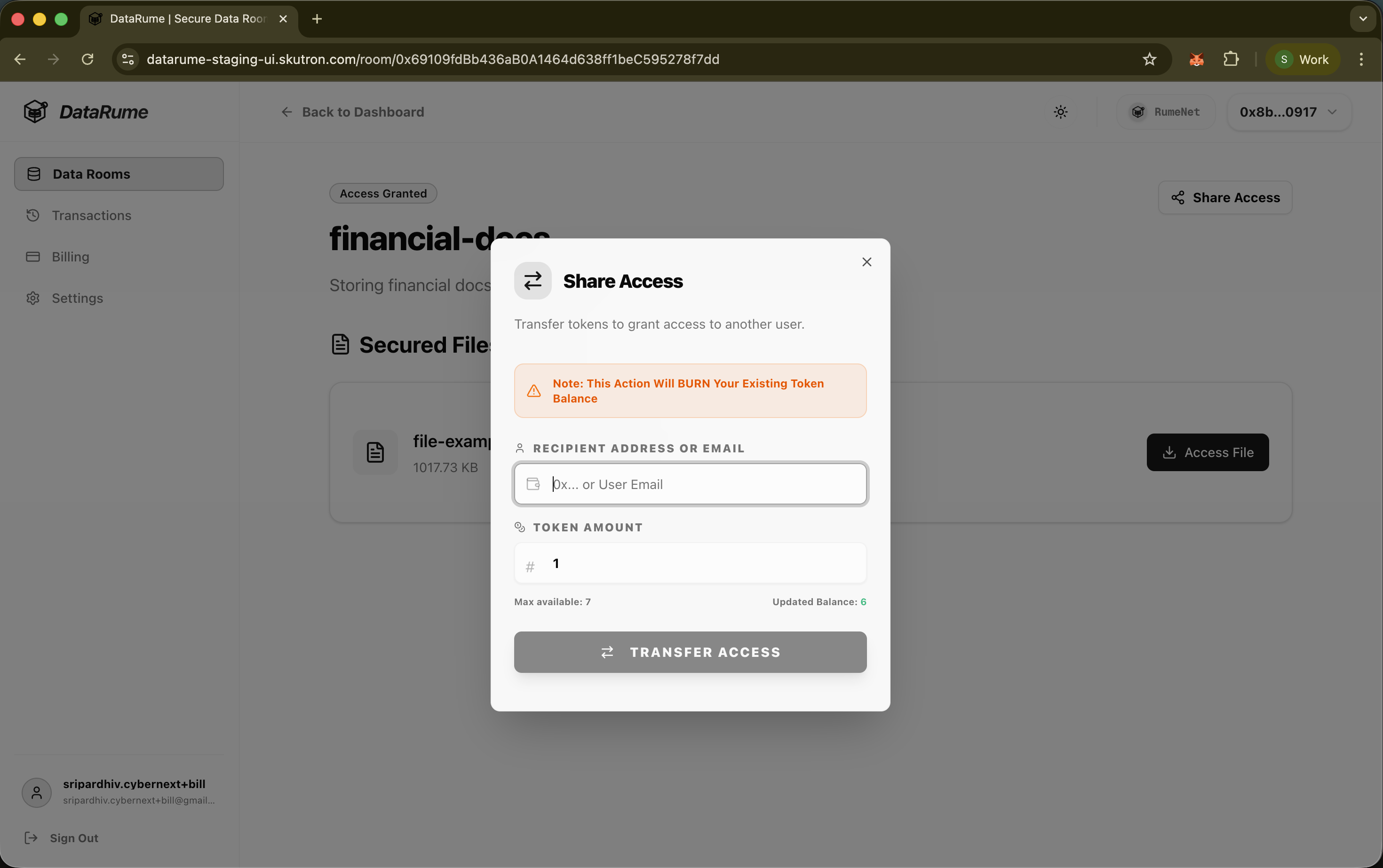
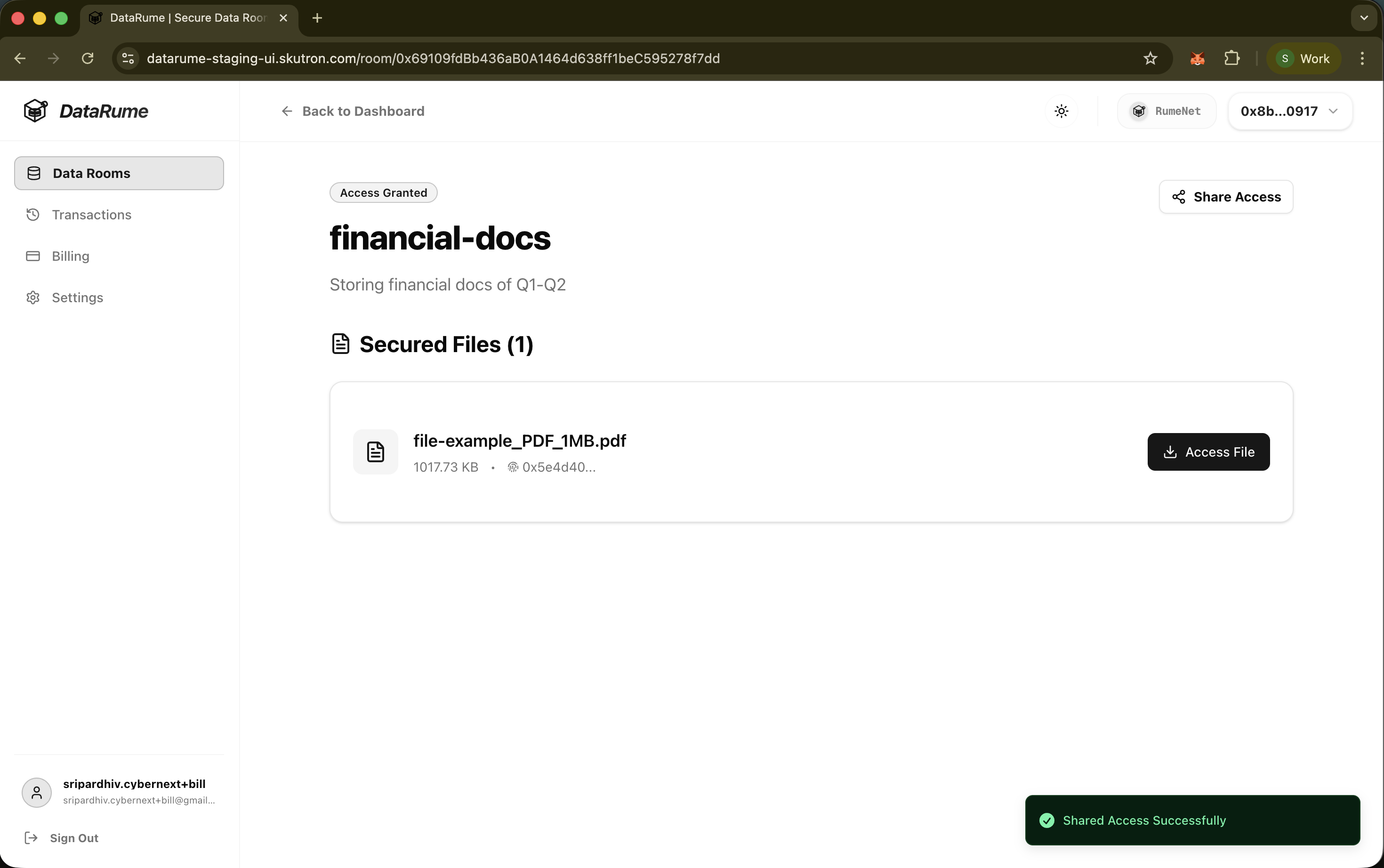
- Initiate Transfer: Click the Share Access button (visible if user have a positive token balance).
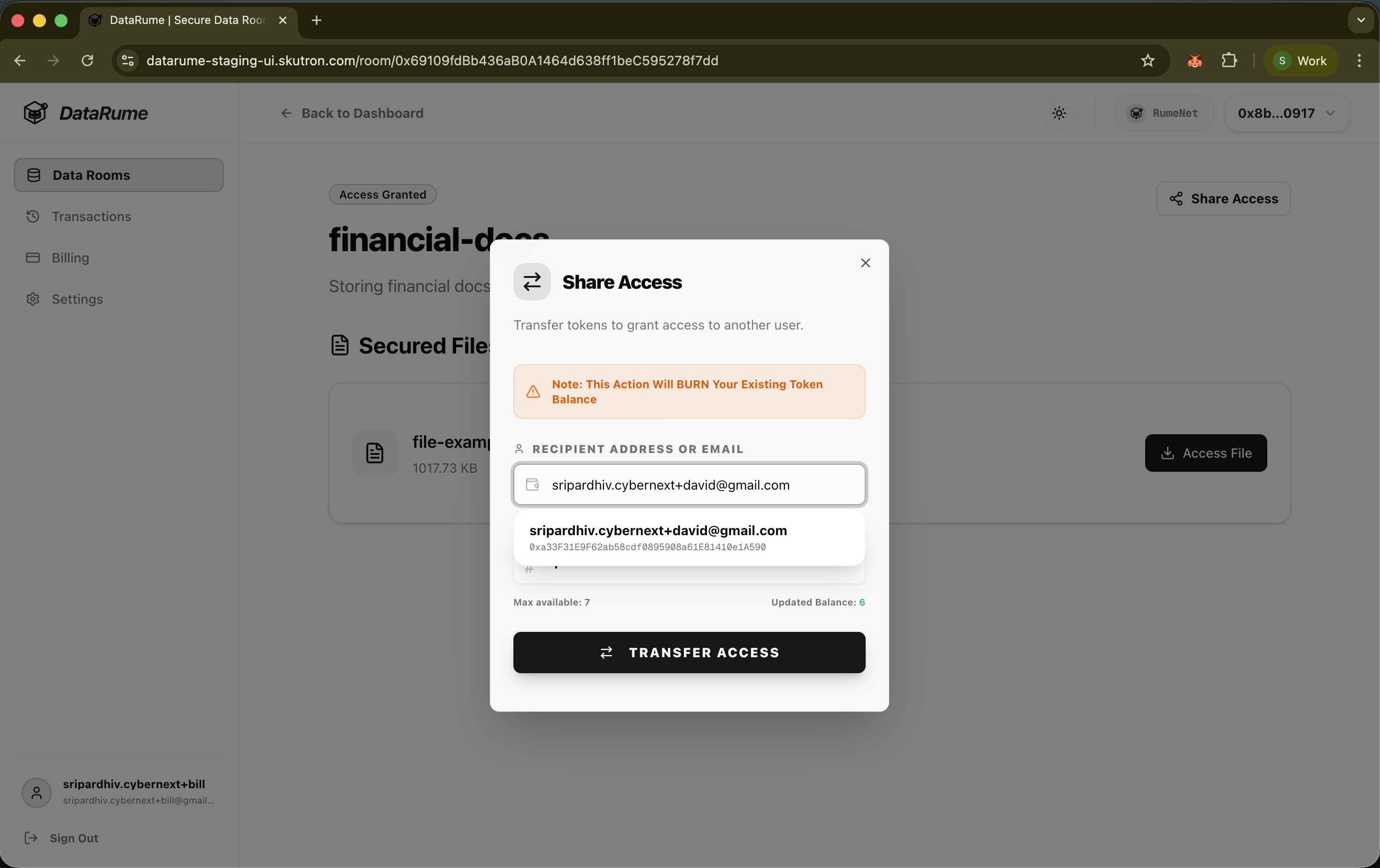
- Enter Recipient Details:
- Email: Enter the recipient's email address.
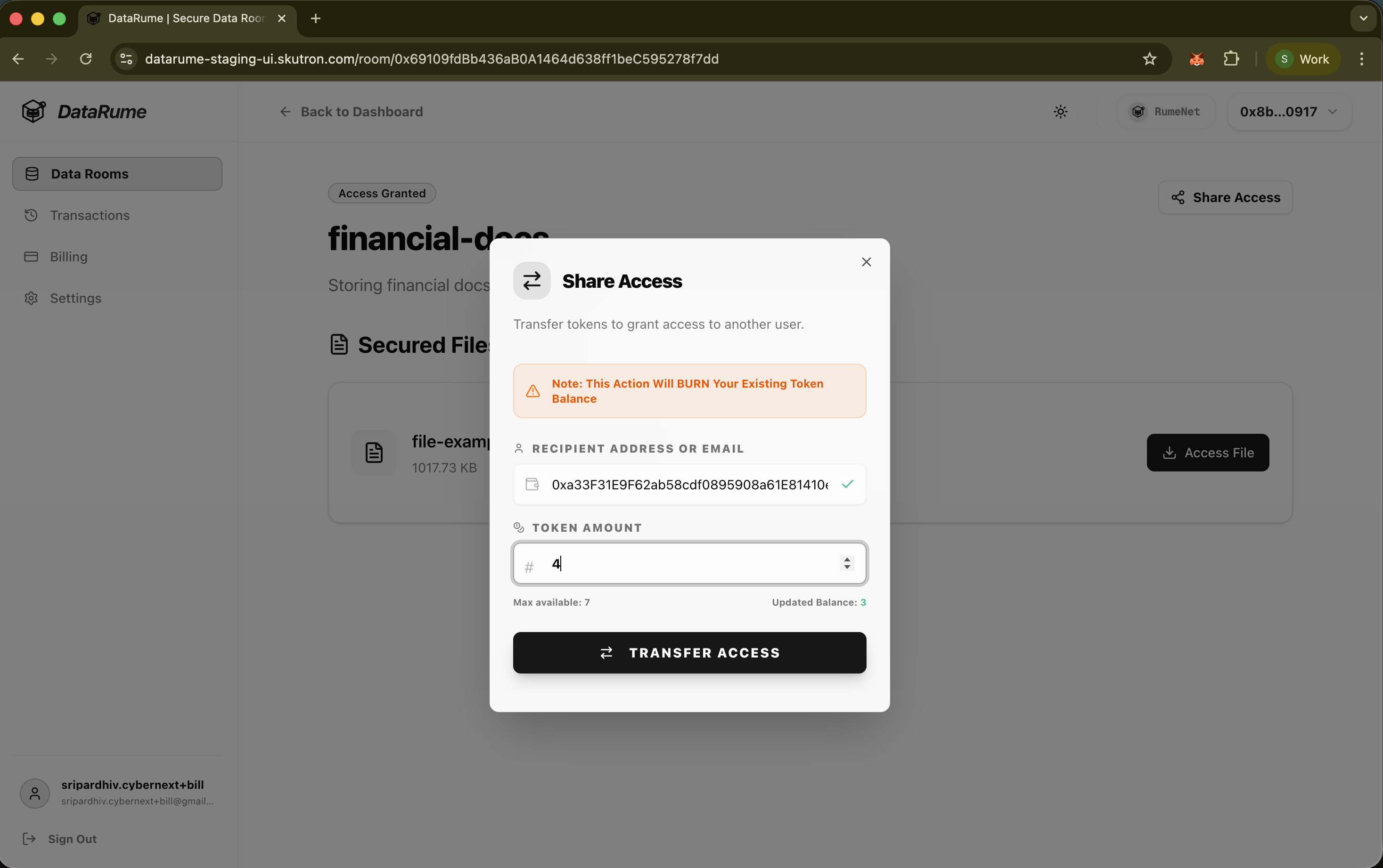
- Amount: Specify the amount to transfer.
- Confirm Transaction: Click TRANSFER ACCESS. User will be prompted to sign the transfer transaction in their wallet.
Upon successful confirmation, the recipient gains access, and user token balance decreases accordingly.