Data Room Upgradation
The Data Room Owner can modify and upgrade active data rooms to accommodate new requirements, such as increasing access capacity, extending storage duration, or adding new files by increasing the storage capacity.
To initiate an upgrade:
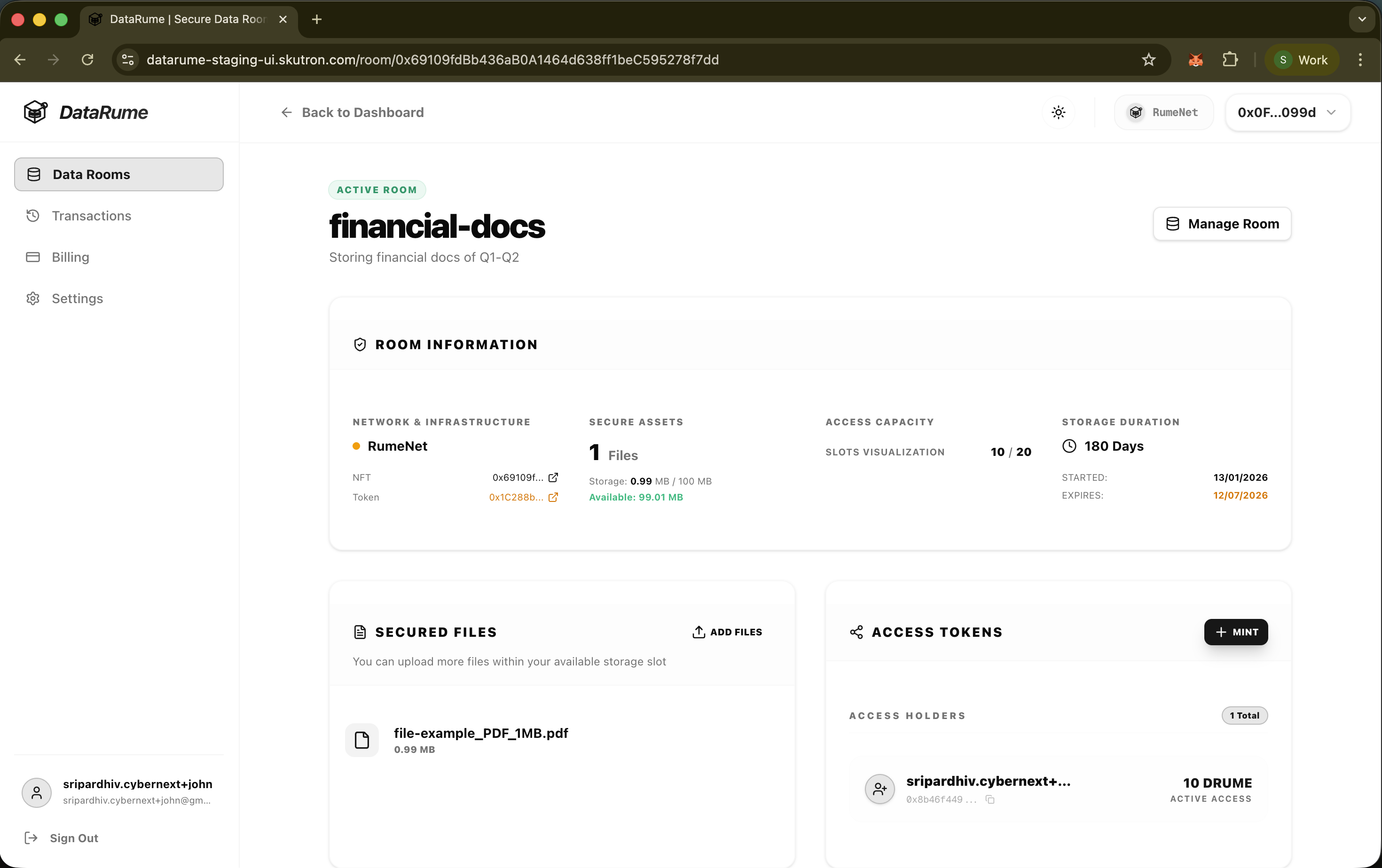
- Navigate to the Data Room Details page of an active room.
- Click the Manage Room button to access the upgrade interface.
Upgrade Capabilities
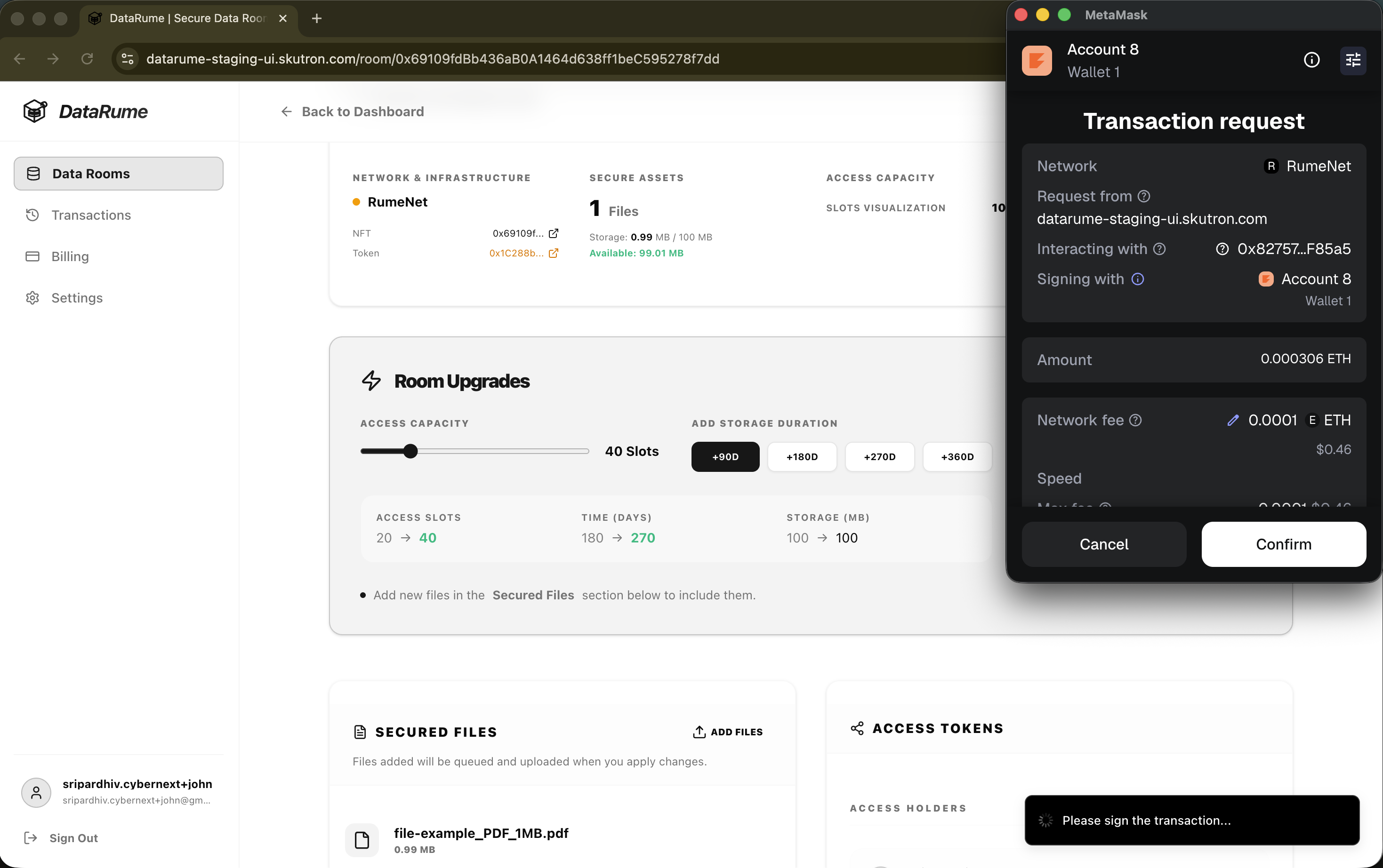
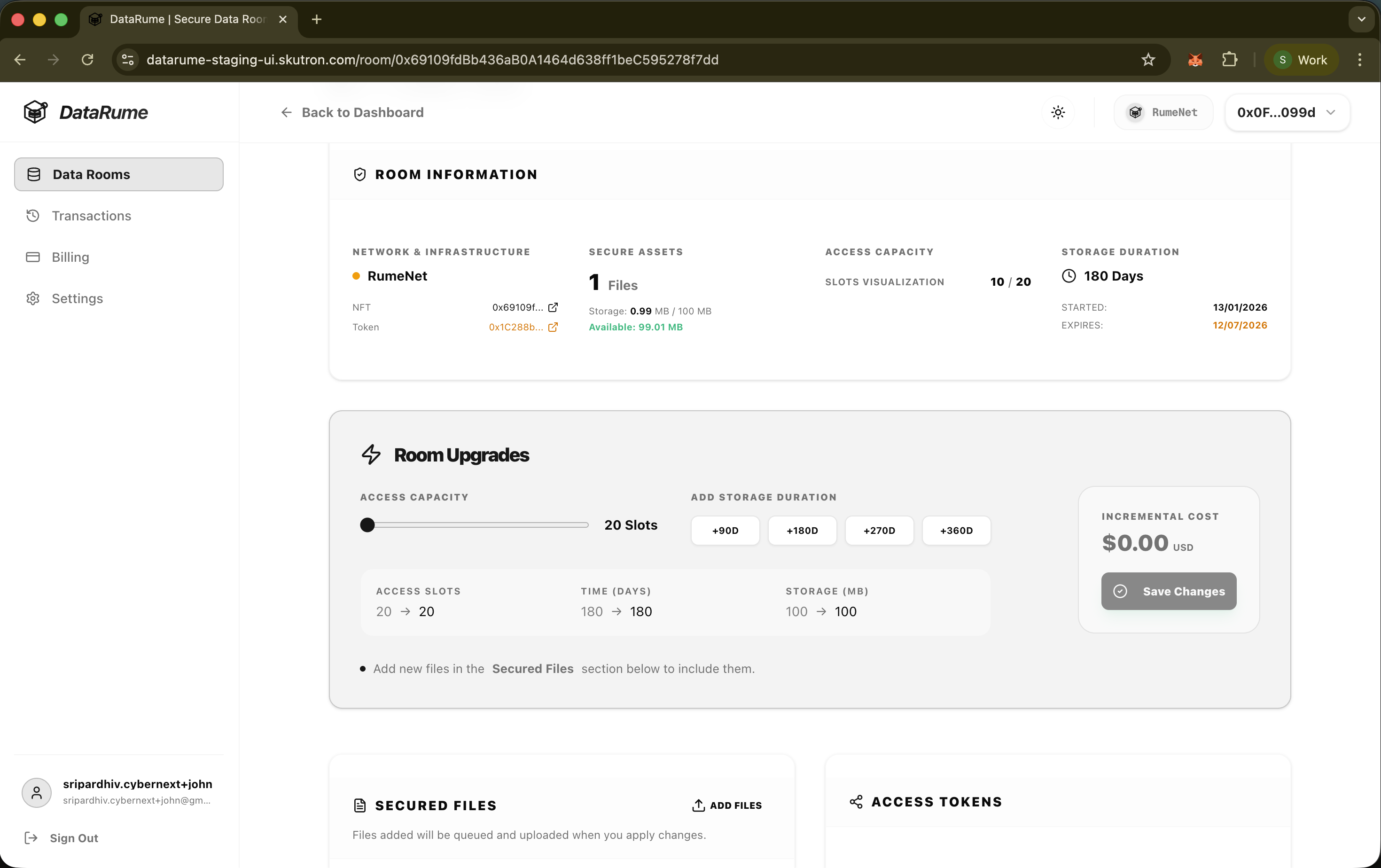
The "Room Upgrades" interface allows for the following modifications:
1. Increase Access Capacity
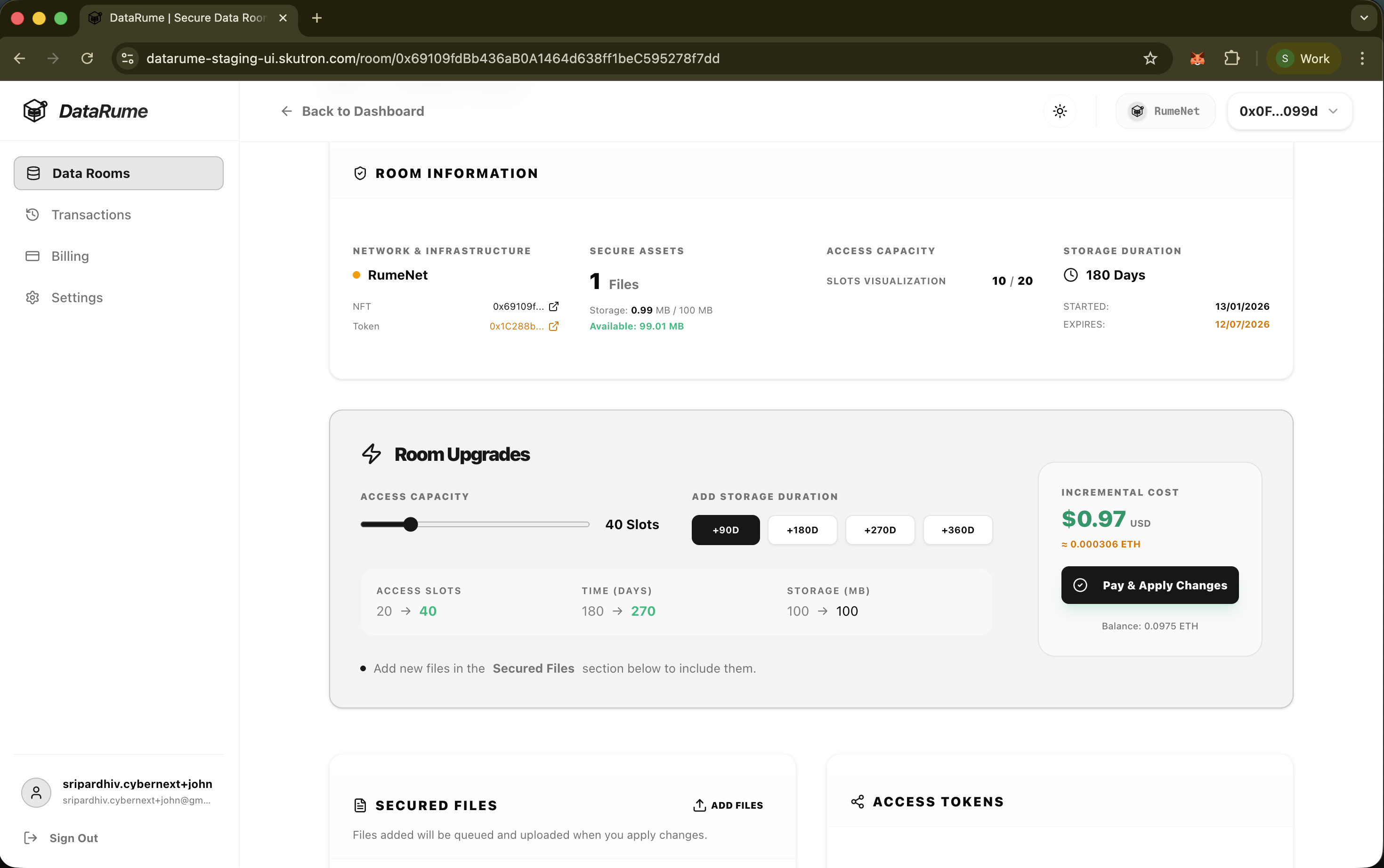
Use the Access Capacity slider to increase the total number of access slots available for the room. This allows more users to be granted access tokens.
- Example: Upgrading from 20 to 40 slots.
2. Extend Storage Duration
Select an option under Add Storage Duration (e.g., +90D, +180D, +270D, +360D) to extend the lifespan of the room's storage on the network.
- The "Time (Days)" indicator will show the change (e.g.,
180 -> 270).
3. Add Secured Files
If you need to add new documents to the Data Room:
- Scroll down to the Secured Files section below the upgrade panel.
- Upload the new files.
- If the collective size of the files exceeds the current storage limit, the system will automatically prompt an increase in the Storage (MB) slot allocation.
Dynamic Cost Calculation
The platform automatically calculates the Incremental Cost for the selected upgrades.
- This cost is displayed in both USD and ETH.
- It includes the fees required for the additional storage, time, or network operations.
Apply Changes
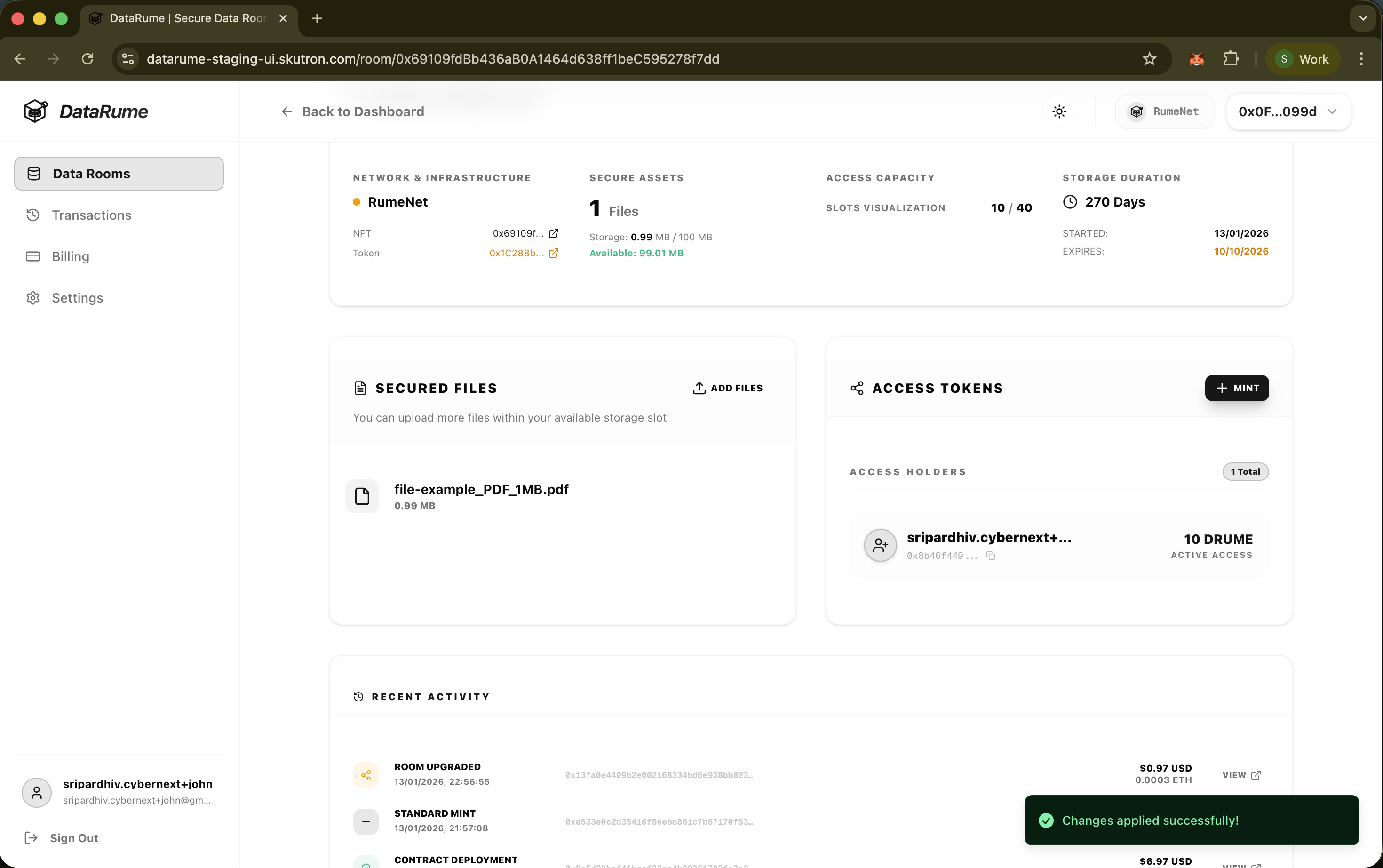
Once the desired upgrades are configured:
- Review the changes in the summary section (Access Slots, Time, Storage).
- Click Pay & Apply Changes.
- Sign the transaction with your wallet to commit the upgrades to the blockchain.