v1.0.0 Stable
Transactions
The Transactions page provides a comprehensive history of all on-chain activities associated with the connected user wallet on the DataRume platform. This transparency ensures users can track every interaction with the blockchain.
To access this page, click on the Transactions tab in the sidebar of DataRume application.
Activity Overview
The page displays a chronological list of activities, including:
- Data Room Deployments: Records of creating and deploying new Data Rooms.
- Room Upgrades: History of capacity increases, storage extensions, or file additions.
- Data Token Transactions: Logs of minting or transferring access tokens (DRUME) to other users.
- ETH Purchases/Credits: Records of RumeNet ETH credited to the wallet via the Billing section.
Transaction Details
Each entry in the Recent Activity list provides key details:
- Transaction Type: The nature of the action (e.g., "Room Upgrade", "Token Mint").
- Transaction Hash: A truncated view of the unique blockchain identifier (
0x...). - Date & Time: When the transaction occurred.
- Network: The blockchain network used (e.g., RumeNet).
- Amount/Value: The value associated with the transaction (e.g.,
4.0000 DRUME). - Explorer Link: An external link icon that opens the transaction details on the block explorer for full verification.
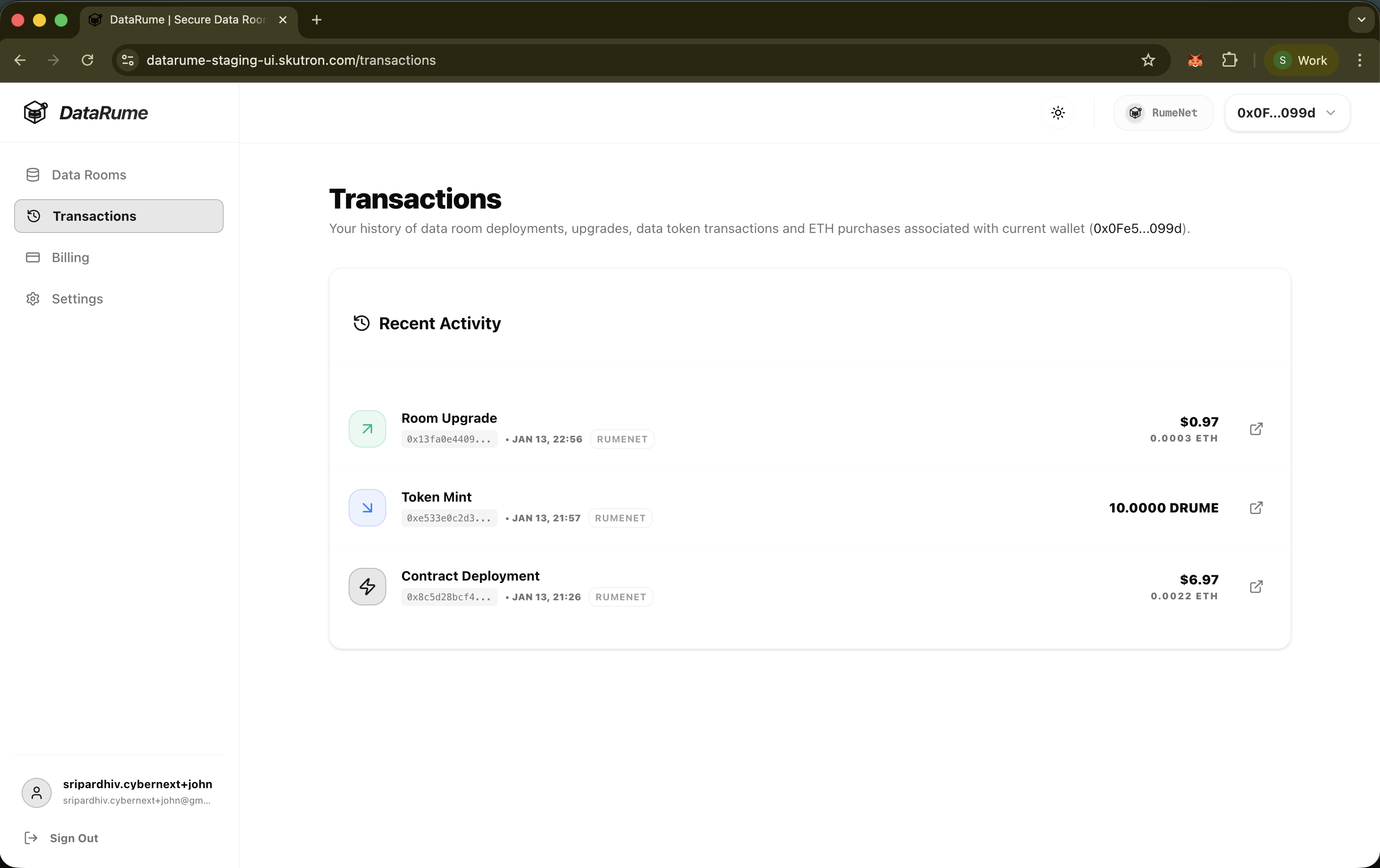
Transactions History